Editor Project
Your game can have an editor component to it. Your game's editor project is special in that it can access both the tools and the game code.
Your game can have an editor component to it. Your game's editor project is special in that it can access both the tools and the game code.
Editor projects are not sandboxed. They are not limited by any whitelists and can run any functions. You should be careful when running code you have received from an untrusted source - because it can do almost anything.
Creating
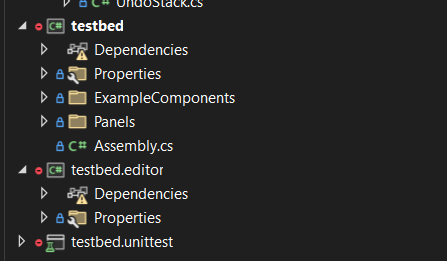
To create an editor project you simply create a folder named "editor" in your project folder. Any code in this folder will be treated as part of the editor project.
You will get a new project in your IDE called <projectname>.editor.
Why create an Editor Project
Creating an editor project lets you do a few special things.
- Create Editor Widgets
- Create Editor Tools
- Create Custom Inspectors for your Components or GameResources
- Create new Control Widgets
- Create new Editor Docks
- Create Editor Apps
- Create Asset Previews