Input
Input is accessed using the… Input class!
Input is accessed using the… Input class!
public sealed class MyPlayerComponent : Component
{
protected override void OnUpdate()
{
if ( Input.Down( "jump" ) )
{
WorldPosition += Vector3.Forward * Time.Delta;
}
}
}
Here you can see that when jump is pressed down, the GameObject will move forward. We multiply forward by the time delta to make it frame rate independent.
There are a few different ways to query buttons..
Input.Down( "jump" ) // key is held down (button name is case insensitive)
Input.Pressed( "jump" ) // key was just pressed this frame
Input.Released( "jump" ) // key was just released this frame
Input.AnalogMove // joystick "move" input Vector3 (or wsad)
Input.AnalogLook // joystick "look" input Angles (or mouse look)
Custom Keys
You can customize the keys for your game in the Project Settings.
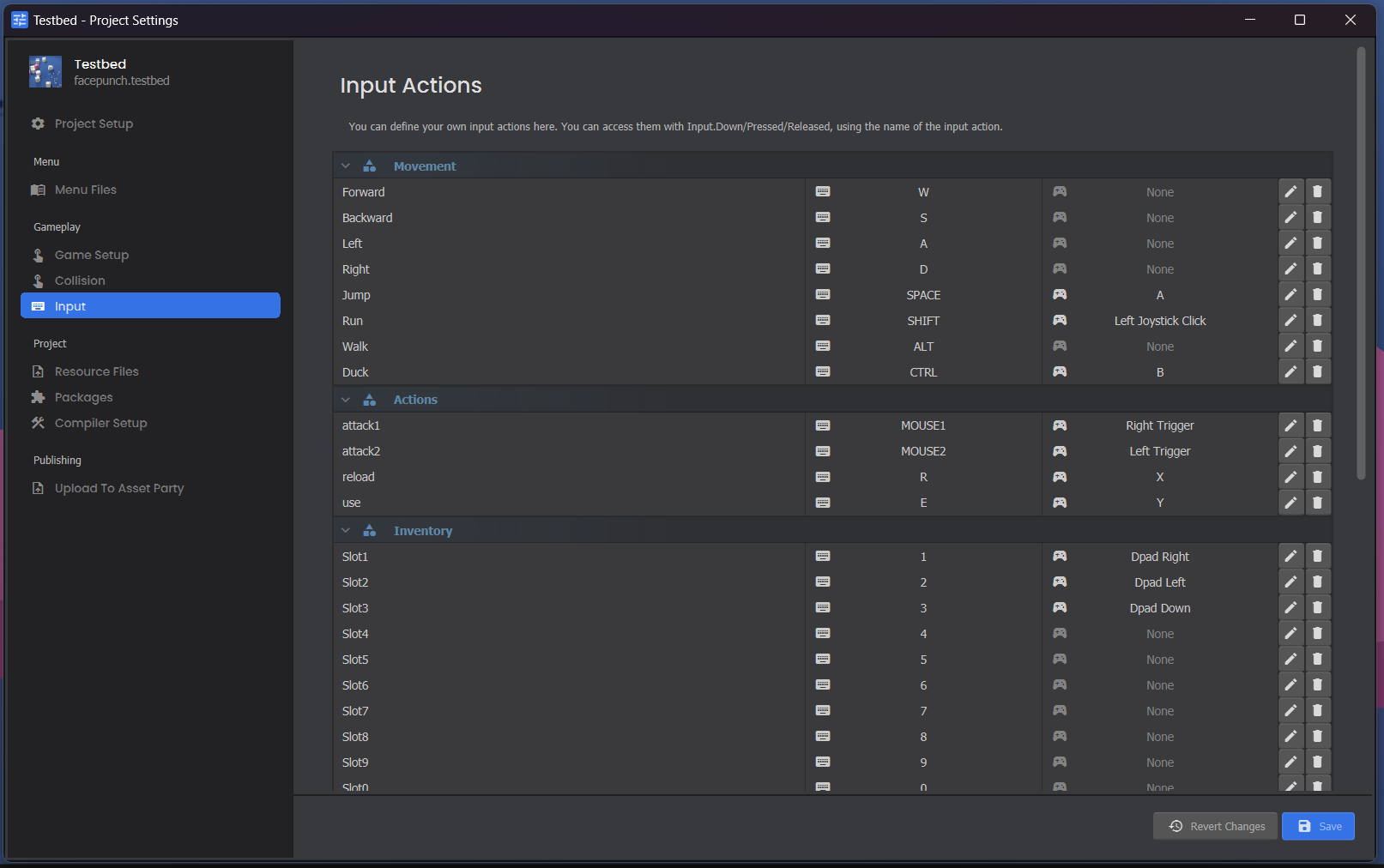
Escape Key
By default, s&box will show the pause menu when a player presses the ESC key in-game. You can override this functionality:
// In Update() on one of your components
if ( Input.EscapePressed )
{
Input.EscapePressed = false;
// handle escape pressed in your game
}
If you override the escape button it'll be up to you to let the user access settings etc in your own menu system.